PlayStation VR2 Explained: Features, Setup and How It Works With PS5
What PS VR2 is and how it works with a PS5: the single USB-C cable, OLED displays, eye tracking, Sense controllers, play area setup and the game library.
PlayStation VR2 is Sony’s second-generation virtual reality headset, and it takes a very different approach from the standalone headsets that dominate VR conversations. It has no processor of its own for running games. Instead, it plugs into a PlayStation 5, which does all the work, and in return it offers features that standalone headsets generally do not have, such as OLED displays, eye tracking and vibration built into the headset itself.
This guide explains what PS VR2 is, how its main features work, how setup goes, and how its game library is organized. Specifications below come from PlayStation’s official pages as of 2026.
What PS VR2 is, in one paragraph
PS VR2 is a tethered console headset. It launched in February 2023 as a PS5 accessory and connects to the console with a single USB Type-C cable. It uses inside-out tracking, meaning cameras on the headset track its own position and the position of the two PS VR2 Sense controllers, so no external camera or base stations are needed. The PS5 runs the games; the headset displays them and feeds back your head, eye and hand movements. If you want to understand how this model compares with standalone and PC headsets, see our comparison of standalone, PC and console VR.
The headset: displays, lenses and tracking
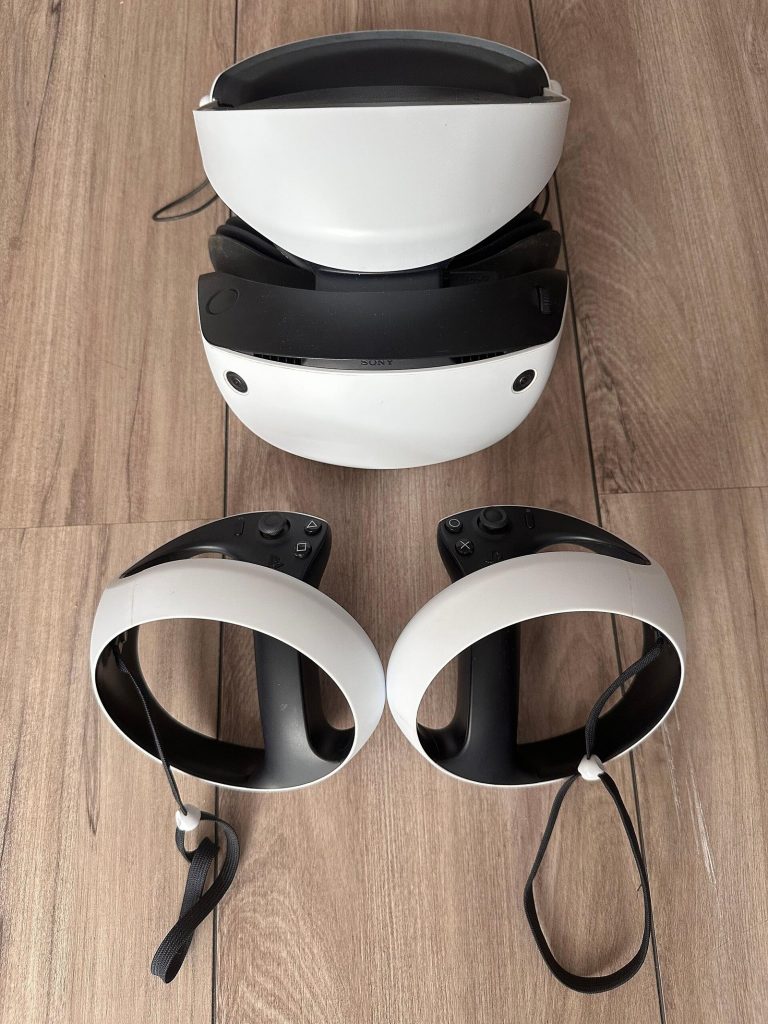
According to PlayStation’s official specifications, the PS VR2 headset includes:
| Feature | Official specification |
|---|---|
| Display type | OLED |
| Panel resolution | 2000 x 2040 per eye |
| Refresh rate | 90Hz, 120Hz |
| Field of view | Approx. 110 degrees |
| Lens separation | Adjustable |
| Tracking cameras | 4 embedded cameras for headset and controller tracking |
| Eye tracking | One IR camera per eye |
| Feedback | Vibration on headset |
| Audio | Built-in microphone; stereo headphone jack |
| Connection | USB Type-C to PS5 |
Why OLED matters
OLED panels can switch individual pixels fully off, which produces deep blacks and strong contrast. That is especially noticeable in dark scenes and space settings, where LCD-based headsets can show a grayish glow. Combined with HDR support, it gives PS VR2 a different visual character from LCD-based standalone headsets.
Lens separation
The headset has an adjustment for the distance between the lenses, so you can match it to your eyes. During setup, the headset uses its eye-tracking cameras to help guide you to the right lens position. Getting this right noticeably improves sharpness and comfort.
Eye tracking and foveated rendering
The most distinctive feature of PS VR2 is eye tracking: an infrared camera for each eye watches where you are looking. Sony uses this in a few ways, depending on the game.
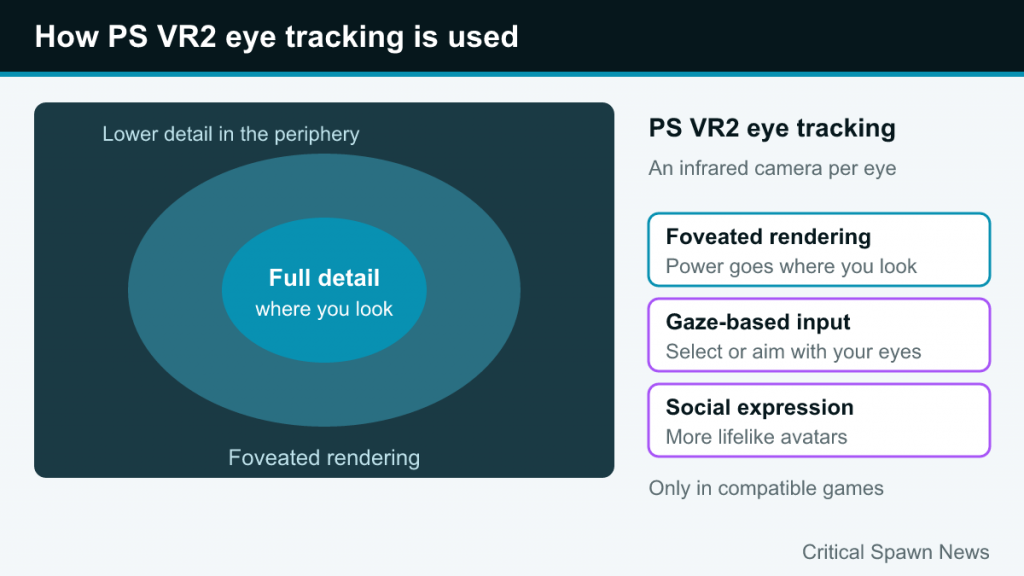
- Foveated rendering. Human vision is only sharp in a small central area. PlayStation’s page explains that foveated rendering renders the areas your eyes focus on at the highest detail, which helps keep performance stable. In practice, the PS5 can spend its graphics power where you are actually looking and render the periphery at lower detail, which you are unlikely to notice.
- Gaze-based input. Some games and menus let you select or aim with your eyes.
- Social expression. Sony describes eye tracking as a way to make avatar expressions more lifelike in multiplayer chats in supported games.
Eye tracking is used only where a game supports it, and PlayStation notes that many features are available “in compatible games.”
Headset haptics and 3D audio
PS VR2 has a single built-in motor in the headset that produces subtle vibrations. PlayStation’s examples include feeling an object rush past your head. It is a small touch, but it adds a physical layer to moments like a nearby impact or your character’s heartbeat.
For audio, PS VR2 uses the PS5’s Tempest 3D AudioTech, so sound shifts as you move and turn your head. You need headphones for this: the headset has a stereo headphone jack, and PlayStation notes that analog or USB stereo headphones are required. Earbuds come in the box with the headset.
The Sense controllers
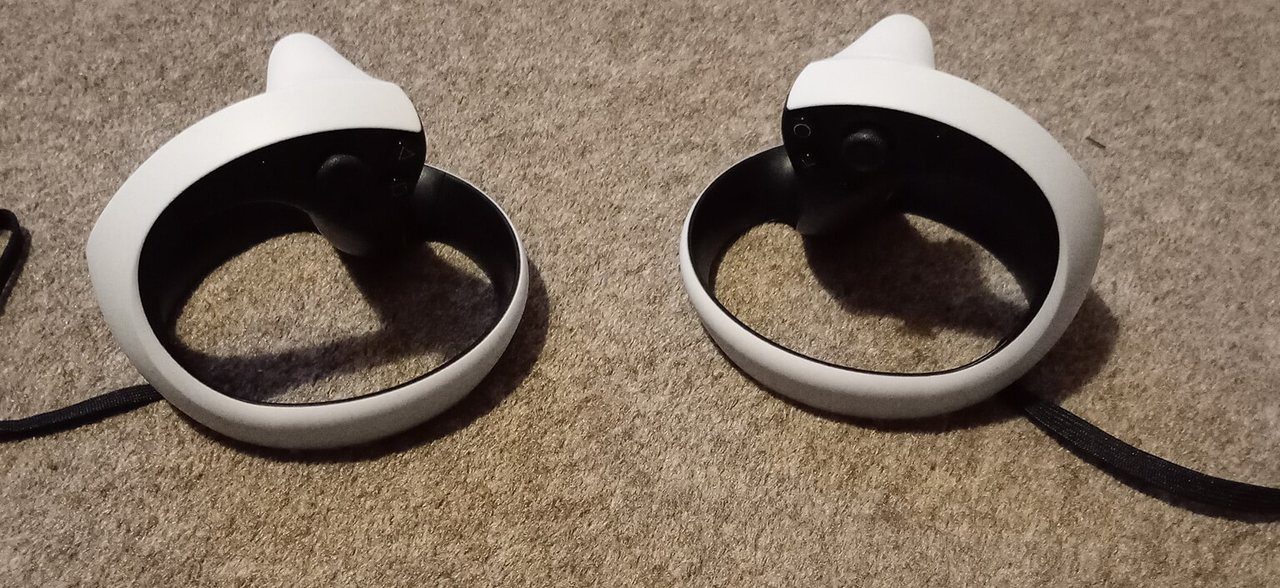
The two PS VR2 Sense controllers are shaped around your hands with a ring that wraps around the back of each hand. Their tracking uses IR LEDs that the headset cameras follow. They bring several features from the PS5’s DualSense controller into VR:
- Adaptive triggers: the L2 and R2 triggers can add resistance, for example to simulate pulling a bowstring or squeezing something stiff.
- Haptic feedback: one actuator per controller provides detailed vibration, from light pulses to strong impacts.
- Finger touch detection: capacitive sensors detect where your fingers rest on the controller even without pressing, so games can show natural hand poses like pointing or a thumbs up.
- Familiar buttons: the right controller has the Circle and Cross buttons, R1, R2 and the right stick; the left controller has Triangle and Square, L1, L2 and the left stick, plus PS, Options and Create buttons.
The controllers have built-in rechargeable batteries and charge via USB Type-C.
Setting up PS VR2
Setup is short compared with older console VR, mainly because there is no external camera. The general flow looks like this:
- Update your PS5. Make sure the console software is up to date before connecting the headset.
- Plug in the headset. Connect the single USB Type-C cable to the USB-C port on the front of the PS5. That one cable carries video, data and power.
- Pair and charge the controllers. The on-screen setup walks you through pairing the Sense controllers.
- Adjust the fit. Use the headband dial and the scope adjustment to bring the lenses close to your eyes and seat the headset comfortably, with weight resting on your forehead and the back of your head rather than your face.
- Set the lens position. Follow the on-screen guide, which uses eye tracking to help you align the lenses.
- Calibrate eye tracking. Follow a series of dots with your eyes so the system can learn your gaze.
- Set your play area. The headset cameras scan your room and help you define a safe space.
Play area and play styles
PlayStation’s support pages say a play area must be set before you can use VR mode, and that you can find the option under Settings > Accessories > PlayStation VR2 > Set Play Area. A boundary appears as you approach the edge; if you leave the area, the game pauses and shows your surroundings. There are three play styles with official minimum sizes:
| Play style | Minimum area (official) |
|---|---|
| Roomscale | 2 m x 2 m (6 ft 7 in x 6 ft 7 in) |
| Standing | 1 m x 1 m (3 ft 4 in x 3 ft 4 in) |
| Sitting | 1 m x 1 m (3 ft 4 in x 3 ft 4 in) |
For sitting and standing play, Sony adds that you need room to move the Sense controllers freely. Each game lists its supported play styles on its details screen or packaging, which is worth checking if your space is small.
See-through view
The headset cameras can also show you the real room. Sony calls this See-through View, and you can turn it on at the touch of a button to find a controller, check on someone entering the room or grab a drink without taking the headset off.
Cinematic mode and non-VR content
PS VR2 is not only for VR games. In cinematic mode, the PS5’s regular interface, standard PS5 games and media apps appear on a large virtual screen in front of you. Coverage of Sony’s announcement describes this screen as 1920×1080 HDR, at 24Hz, 60Hz or 120Hz depending on the content. Play areas are not used in cinematic mode, so you can sit back and use it like a personal theater. It is handy for watching video or playing a standard game while someone else uses the TV.
The game library model
PS VR2 games are bought through the PlayStation Store or on disc, like other PS5 games, and the store has a dedicated section for PS VR2 titles. A few points are important to understand:
- No backwards compatibility with original PS VR games. PlayStation states that PS VR2 is not compatible with PS4 and cannot play content that requires the original PS VR. Some developers have released upgraded PS VR2 versions of their older games, sometimes with a discounted or free upgrade path, but this varies by game.
- Exclusive and cross-platform titles. Sony’s showcase titles have included Horizon Call of the Mountain, while many other games, such as No Man’s Sky and the tabletop game Demeo, are also available on other platforms.
- VR modes in big games. Some large PS5 games have added optional VR modes, letting you play a standard game in VR.
- Feature support varies. Eye tracking, headset haptics and adaptive triggers are used to different degrees by different games.
Using PS VR2 with a PC
In 2024, Sony released an official PS VR2 PC adapter that lets the headset connect to a compatible gaming PC and play games through SteamVR. Some features work differently or are unavailable on PC, and the setup has its own requirements, so we cover it in a separate article later in this series.
Who PS VR2 suits
PS VR2 makes the most sense if you already own a PS5 and want high-contrast visuals and console-style convenience without managing a gaming PC. The single-cable setup is simple, but you are tethered: the cable limits how far you can roam and needs to be kept away from your feet. If you want fully wireless play anywhere in the house, or the largest possible game library, a standalone headset may suit you better.
Whichever headset you use, take it slowly at first. VR comfort varies by person and by game; our guide to VR motion sickness explains why and how to build up tolerance.