Standalone, PC VR or Console VR: Which Type of VR Platform Fits You
Standalone, PC VR or console VR? Compare what you need to own, stores, visuals, wireless play and setup effort to find the VR platform that suits you.
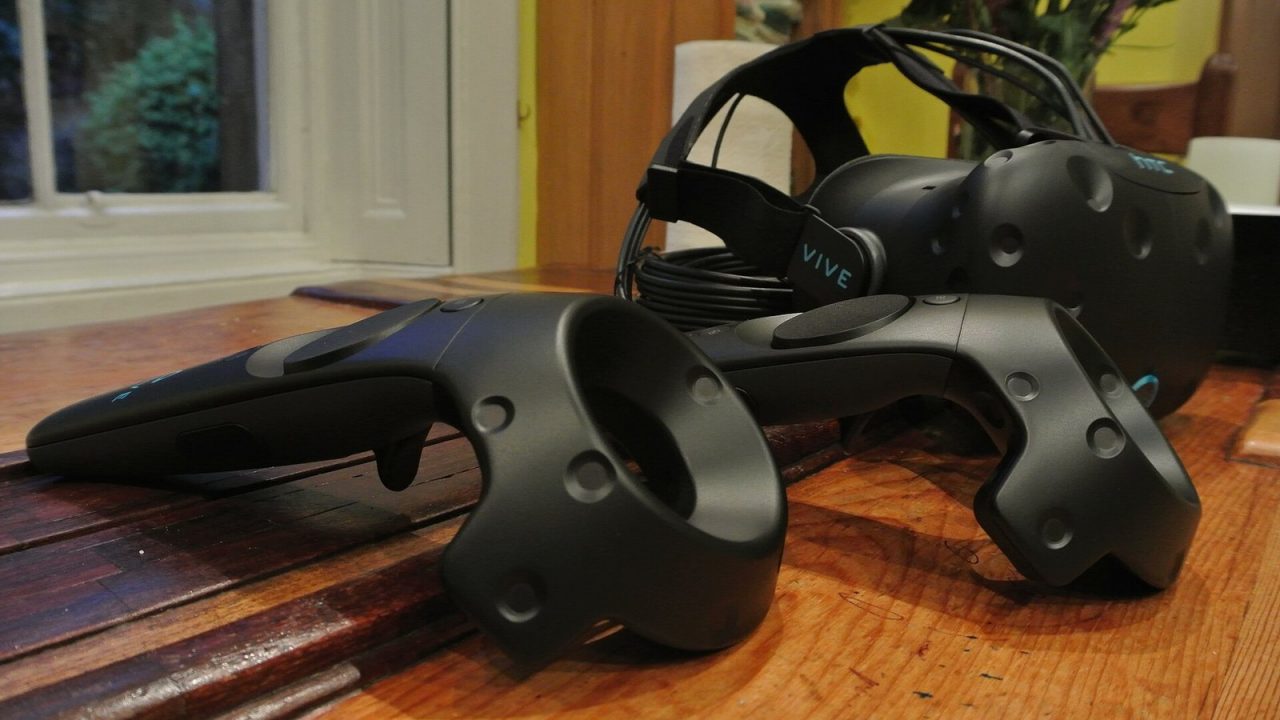
Choosing a VR headset is really choosing a platform. The headset on your face matters, but so does the hardware that runs your games, the store you buy them from and how much effort it takes to start playing on a weeknight. Those factors fall into three broad models: standalone, PC VR and console VR.
If terms like 6DoF, passthrough or boundary are new to you, start with our beginner’s guide to VR gaming. This article assumes you know the basics and want to decide which kind of system fits your home, your budget priorities and the games you want to play.
The Three Models in One Sentence Each
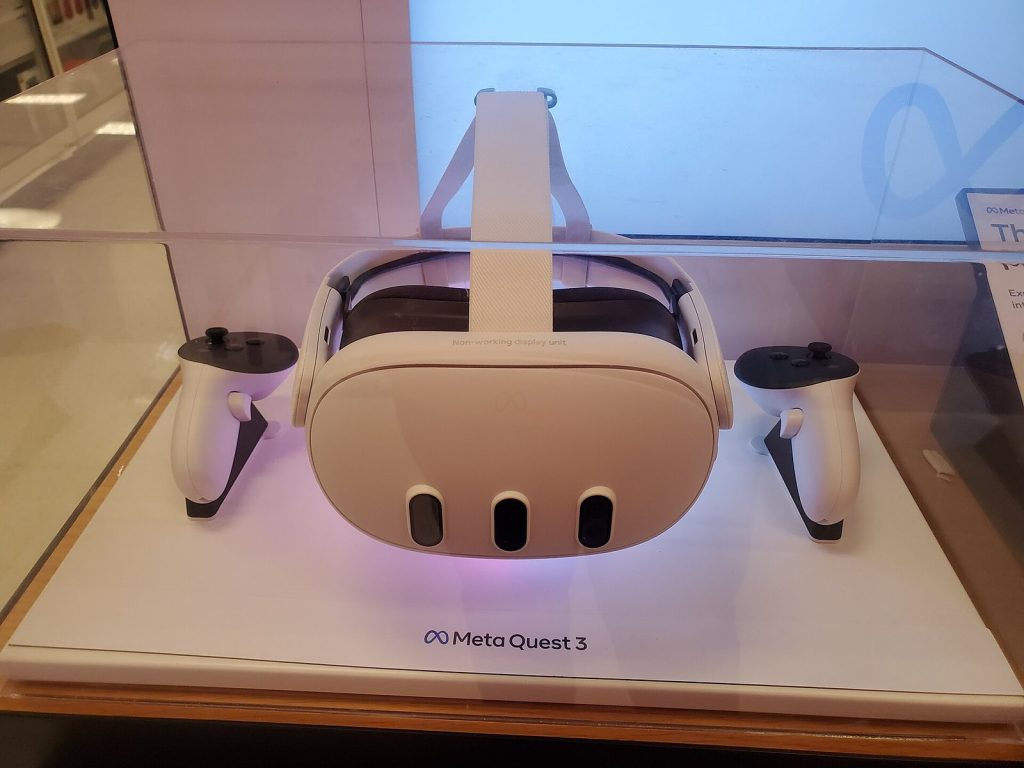
- Standalone VR: the headset contains its own processor, battery, storage and store, so it runs games by itself. Meta’s Quest 3 and Quest 3S are the best-known examples.
- PC VR: a gaming PC renders the game and sends the image to a headset over a cable or a wireless link. Most PC VR games are sold through Steam and run via SteamVR.
- Console VR: a games console does the rendering. PlayStation VR2, which connects to a PS5 by a single USB cable, is the current major example.
The lines are not completely rigid. Quest headsets can connect to a PC to play PC VR games, and Sony sells a PC adapter that lets PS VR2 work with Steam’s VR library. Valve, meanwhile, announced its own headset, Steam Frame, in November 2025. Still, each model has a “home” way of working, and that is what this comparison focuses on.
Side-by-Side Comparison
| Factor | Standalone | PC VR | Console VR |
|---|---|---|---|
| What you need to own | Just the headset (plus a phone app for setup) | A gaming PC that meets the headset’s requirements, plus the headset | The matching console (PS5 for PS VR2), plus the headset |
| Main store | The headset maker’s store (Meta Horizon Store on Quest) | Steam (SteamVR), plus some other PC storefronts | PlayStation Store |
| Visual ceiling | Limited by a mobile-class chip inside the headset | Highest; scales with your PC | Fixed by the console; consistent for everyone |
| Wireless play | Yes, by design | Depends on the headset; wired or wireless streaming | PS VR2 is wired to the PS5 |
| Setup effort | Lowest | Highest | Moderate |
| Portability | Excellent; take it anywhere | Tied to the PC’s location | Tied to the console |
| Best for | Newcomers, families, play in different rooms | Enthusiasts, simulation fans, modders | PS5 owners who want simple, polished VR |
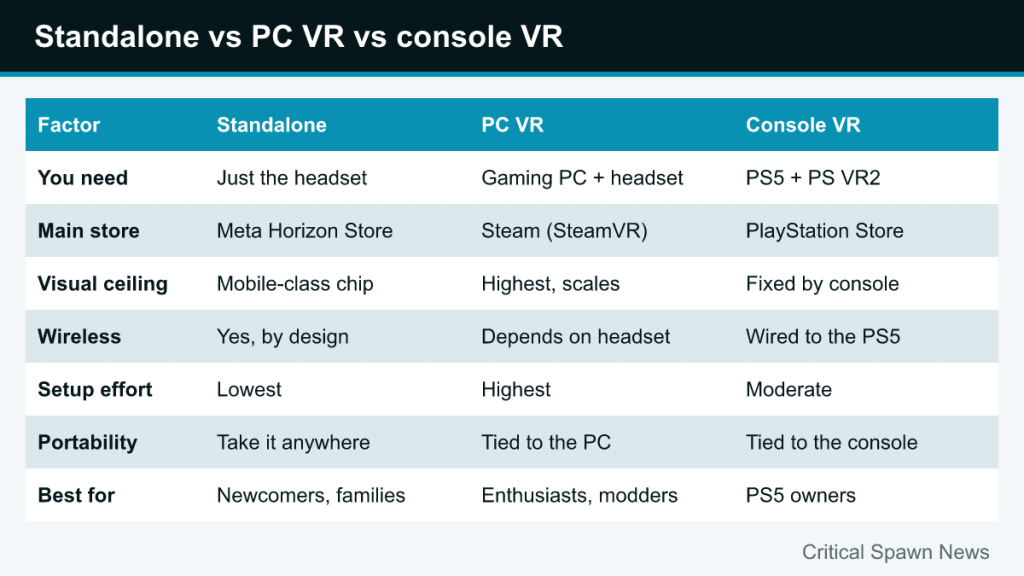
The rest of this guide unpacks each row, because the “right” answer usually comes down to which trade-off bothers you least.
What You Need to Own
Standalone
A standalone headset is the only option where the headset is the whole system. You charge it, sign in, draw a boundary and play. Meta’s Quest setup uses a Meta account and the Meta Horizon phone app, but after that the headset works on its own. If you do not have a gaming PC or a PS5, standalone is the only route that does not require buying a second expensive device.
PC VR
PC VR needs a computer with a graphics card capable of rendering two high-resolution views at high frame rates. Each headset publishes minimum and recommended specifications, and VR is more demanding than flat-screen gaming at the same settings. If you already own a gaming PC, check it against the headset maker’s requirements before buying. A laptop can work only if its graphics hardware meets those specifications.
Console VR
PS VR2 requires a PS5 and is not compatible with PS4. If you already own a PS5, that means the “computer” part of the system is already in your living room, and you know it will run every PS VR2 game as intended, because every PS5 is the same.
Game Libraries and Stores
The store you buy from matters more than many newcomers expect, because purchases generally stay within that ecosystem.
Standalone stores
Quest headsets use the Meta Horizon Store. It hosts games optimized for the headset’s built-in hardware, including many of the most popular VR titles in versions designed to run untethered. Some games are also available on other platforms, but a purchase on one store does not automatically give you a copy on another unless the publisher offers cross-buy.
PC VR on Steam
Steam has the largest and most varied VR catalog, from big releases to experimental indie projects, plus PC-exclusive titles. Valve’s Half-Life: Alyx, for example, is a PC VR game. PC VR is also where mods, custom content and community tools are most common. Because Steam is the hub, the same library can follow you across different PC headsets.
Console VR on PlayStation
PS VR2 games come from the PlayStation Store. The library is smaller and more curated than Steam’s, with an emphasis on polished releases that use the headset’s features, such as eye tracking and headset haptics. With Sony’s PC adapter, PS VR2 owners can also play games from Steam’s VR library on a compatible PC, but that turns the setup into PC VR with its own requirements.
Visual Ceiling: How Good Can It Look?
Without getting into graphics cards, the principle is simple: the more processing power behind the headset, the more detail, lighting and effects a game can show.
- Standalone headsets run on a mobile-class chip with limited power and heat budget. Developers adapt games accordingly, often with simpler lighting, fewer objects and lower texture detail. Good art direction hides much of this, but the ceiling is lower.
- PC VR has the highest ceiling, and it rises when you upgrade the PC. Demanding simulators and graphically ambitious games tend to look their best here.
- Console VR sits in between and is consistent. Developers tune games for one known piece of hardware, and PS VR2 games can use eye tracking for foveated rendering, which concentrates detail where you are looking.
The display inside the headset also matters. Meta’s own comparison, for example, lists the Quest 3 with a higher per-eye resolution and wider horizontal field of view than the Quest 3S, with pancake lenses instead of Fresnel. Within any platform, headset choice changes clarity as much as processing power does.
Convenience and Wireless Play
Convenience is where standalone headsets win clearly. There is no cable to trip over or twist around you, no PC or console to switch on, and nothing tying you to one room. You can play in the living room on Saturday and in a spare room on Sunday, as long as you redraw the boundary.
PC VR can be wired or wireless, depending on the headset and how you connect it. Quest headsets can stream PC VR games over a cable or over Wi-Fi using Meta’s Link features. Wireless PC VR feels freeing, but quality depends on your home network and router placement, and it adds another thing to troubleshoot.
PS VR2 uses one USB cable to the PS5. That is simpler than older multi-cable VR setups, but it is still a cable. It works well for seated and standing games; in games where you spin often, it pays to stay aware of where the cord is.
Setup Effort and Everyday Friction
Ask yourself a practical question: how many steps stand between deciding to play and actually playing?
- Standalone: put on the headset, confirm the boundary, launch a game. Updates happen in the background when the headset is charging.
- Console VR: turn on the PS5, connect the headset, put it on, confirm your play area, launch a game. Familiar for any console owner.
- PC VR: start the PC, connect or pair the headset, launch the VR software, check for updates on several pieces of software, launch the game. Usually smooth once configured, but there are more moving parts.
This everyday friction is easy to underestimate. Many people find they play more often when the barrier to starting is low, which is a strong argument for standalone headsets or console VR if you only have short windows to play.
Who Each Platform Suits
Standalone fits you if…
- You are new to VR and want the simplest start.
- You do not own a gaming PC or a PS5.
- Several people in your household will share the headset, or you want to move it between rooms.
- You are interested in mixed reality games that use passthrough to blend virtual objects with your room; both Quest 3 and Quest 3S offer full-color passthrough.
PC VR fits you if…
- You already own a capable gaming PC.
- You want the best possible visuals and PC-only titles.
- You like flight and racing simulators, mods and community content.
- You enjoy tweaking settings and do not mind troubleshooting.
Console VR fits you if…
- You already own a PS5.
- You want a consistent, curated experience without performance tuning.
- You value hardware features like eye tracking, headset haptics and the Sense controllers’ adaptive triggers.
- You mostly play in one room near your TV.
Hybrid Setups: Getting More Than One
Because the categories overlap, many players end up with a hybrid. The most common example is a standalone Quest that also connects to a PC: you play portable games on the headset and stream heavier PC VR games when you are at your desk. This route lets you start simple and grow into PC VR later.
PS VR2 with Sony’s PC adapter is another hybrid. It keeps the console experience while opening up Steam’s VR library on a compatible PC.
Hybrids are flexible, but they also mean multiple stores. Before you buy a game, check which platform it is on and whether the purchase carries over.
A Quick Way to Decide
If you are still unsure, work through these questions in order:
- Do you own a PS5 and mainly play on the TV? Console VR is a natural fit.
- Do you own a capable gaming PC and care most about visuals or simulators? Look at PC VR, or a standalone headset that can also connect to your PC.
- Neither, or want the least hassle? Standalone is the easiest, most flexible starting point.
Whichever you choose, check that the specific games you care about are available on that platform’s store before committing. The library, more than any spec sheet, is what you will actually spend your time with.